
Service process

From customer call to invoice-ready service work.

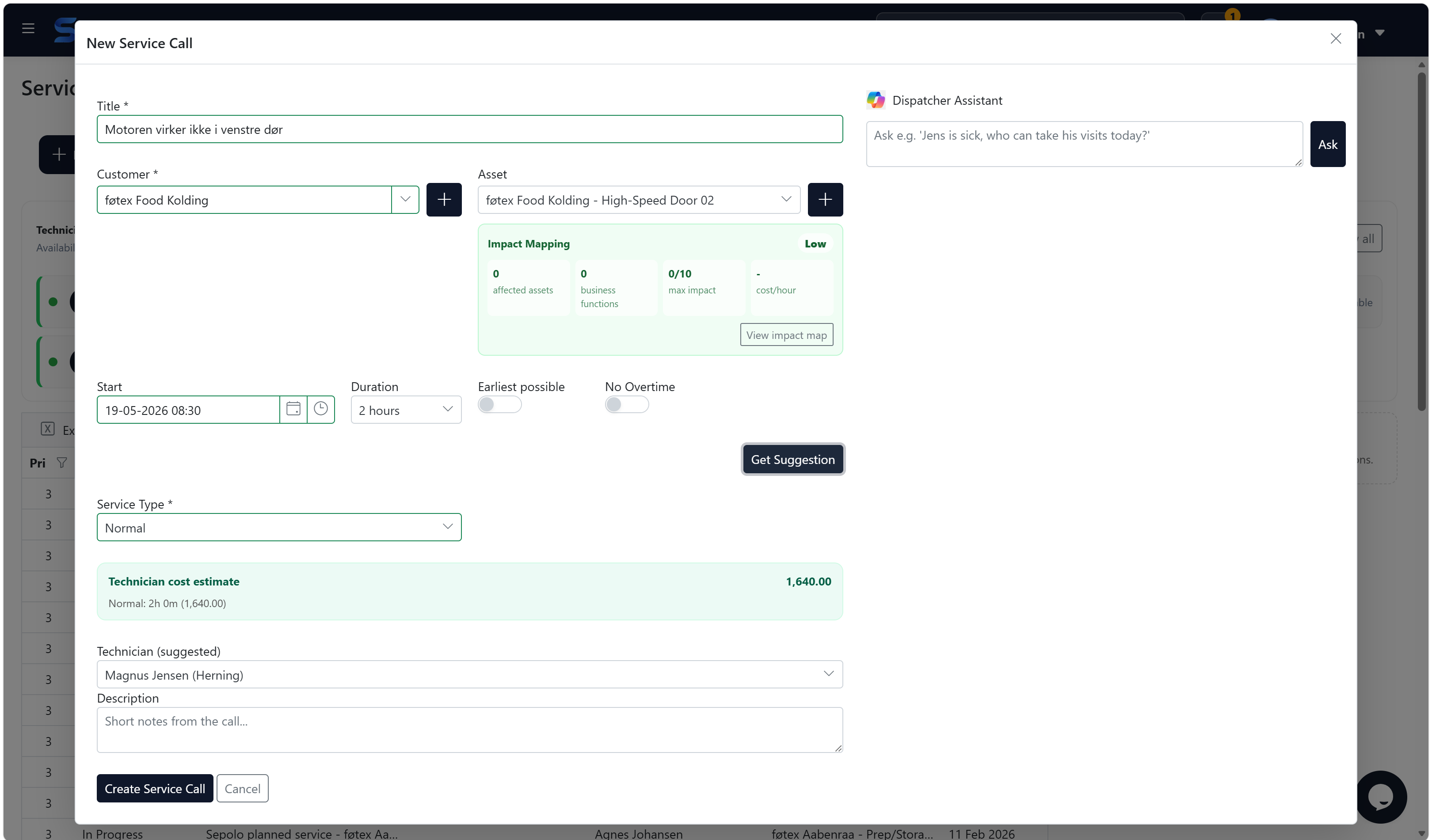
Sepolo connects dispatch, technician execution, asset history, cost calculation and ERP handover in one service workflow.

1. Receive the service request
2. Plan the right technician
3. Execute and document the work
4. Calculate cost and margin
From customer call to invoice-ready service work.

Field service platform

A concrete service workflow, not just a product page.

01

1. Receive the service request

The dispatcher can create or select the customer and asset, see existing history and start the service visit without waiting for administration.

Customer and asset contextFast local creation when neededERP ownership when integration is active
02

2. Plan the right technician

Control Tower helps the dispatcher understand open visits, technician availability, customer address, distance and expected arrival time.

Open visit overviewTechnician availabilityDistance-aware planning

What you get

Answers to the questions buyers actually have.

03

3. Execute and document the work

Technicians complete service reports, register actual time, record parts used and document the work according to the group-specific report layout.

Mobile service reportingActual time registrationCustom report fields
04

4. Calculate cost and margin

Sepolo calculates employee cost, equipment, contractors, travel, parts and revenue foundation so the business can understand the real result of the visit.

Employee and overtime costEquipment and contractor costVisit profitability
05

5. Hand over to ERP

When the work is ready, Sepolo prepares the invoice foundation and sends draft invoice lines to ERP for accountant review and posting.

ERP draft invoiceMaster data alignmentFinance keeps control

Next step

A 30-minute walkthrough with concrete answers.

We start from your service flow, assets, technicians, ERP and the places where time is lost today.

Sign up
From customer call to invoice-ready service work. | Sepolo