
Asset-first field service management
Field service management built around assets, cost and operational impact.
Sepolo connects service planning, technicians, assets, spare parts, reports, ERP data and business impact in one operational platform for companies that need more than basic work order tracking.
5 min
ERP synchronization cycle
360°
Customer and asset view
1
Workflow from visit to invoice
Find your path
Start with the question your buyer has.
The homepage gives the overview. Industries, platform areas and knowledge pages explain the details separately, so visitors can navigate instead of reading one long page.
Industries
See how Sepolo supports technical service, machinery, facilities and equipment-heavy organizations.
Browse industries
Platform
Explore planning, reports, assets, spare parts, SLA and ERP-ready service data.
See platform
Knowledge
Read about implementation, service KPIs and ERP integration before booking a meeting.
Read guides
Product paths
Screenshots first. Details on the right page.
Visitors should see the product quickly, then choose the exact area they want to understand instead of scrolling through every feature on the front page.
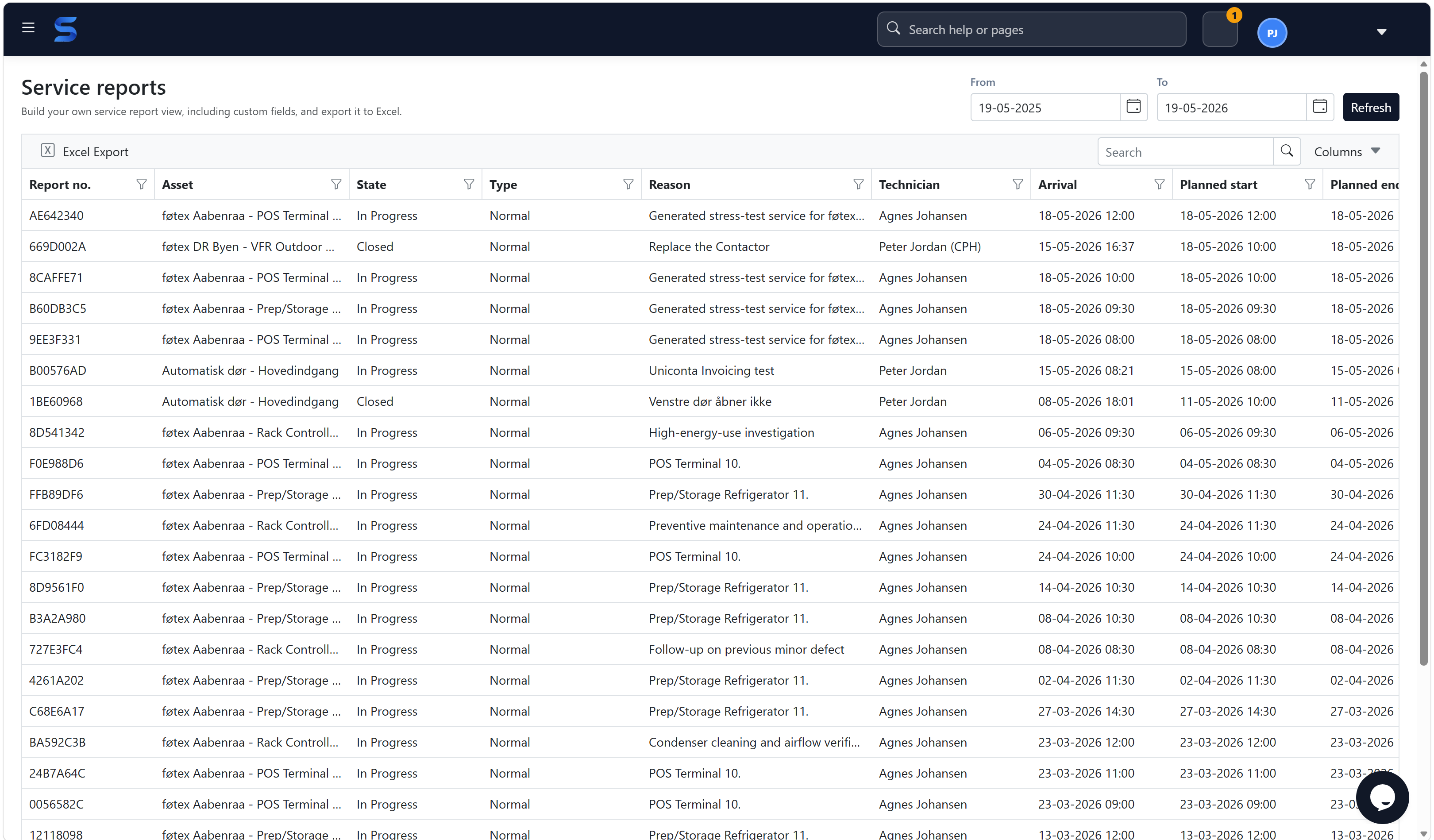
Service reports
Search, filter and export service history for operations and finance.
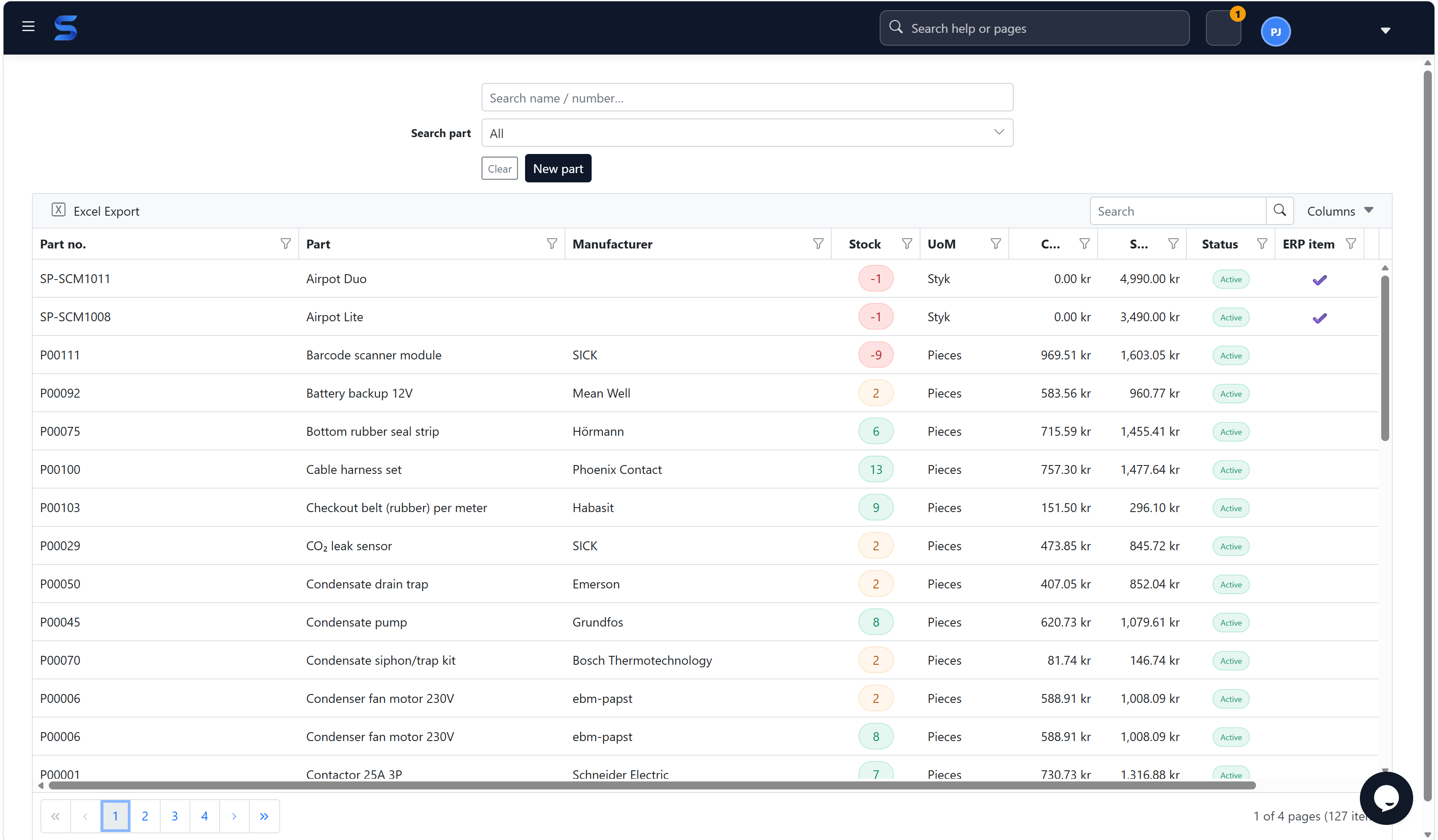
Stock and ERP items
Manage spare parts, manufacturers, ERP item numbers, stock and classification.
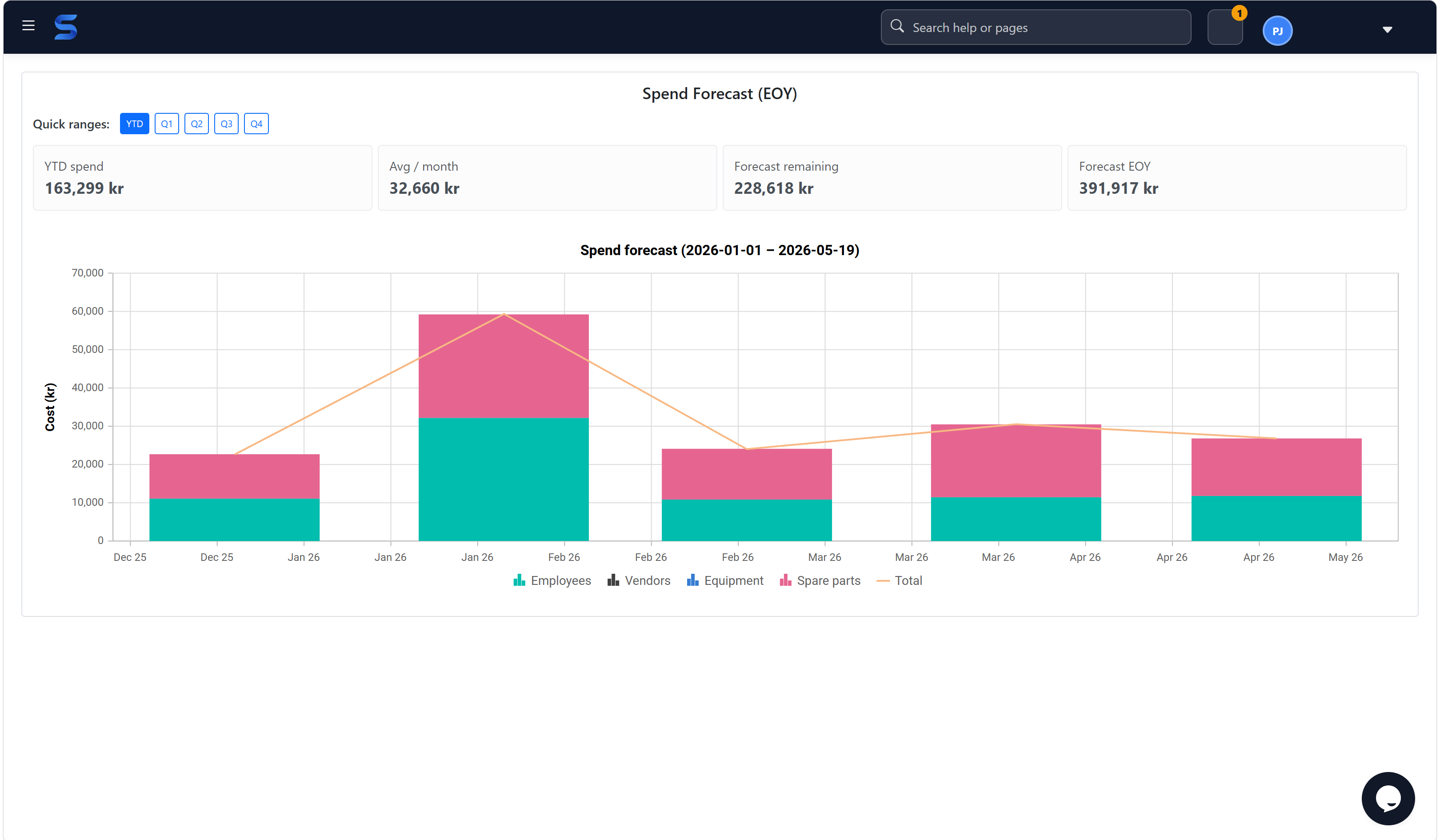
Service KPIs
Understand cost, capacity and service performance before it surprises the business.
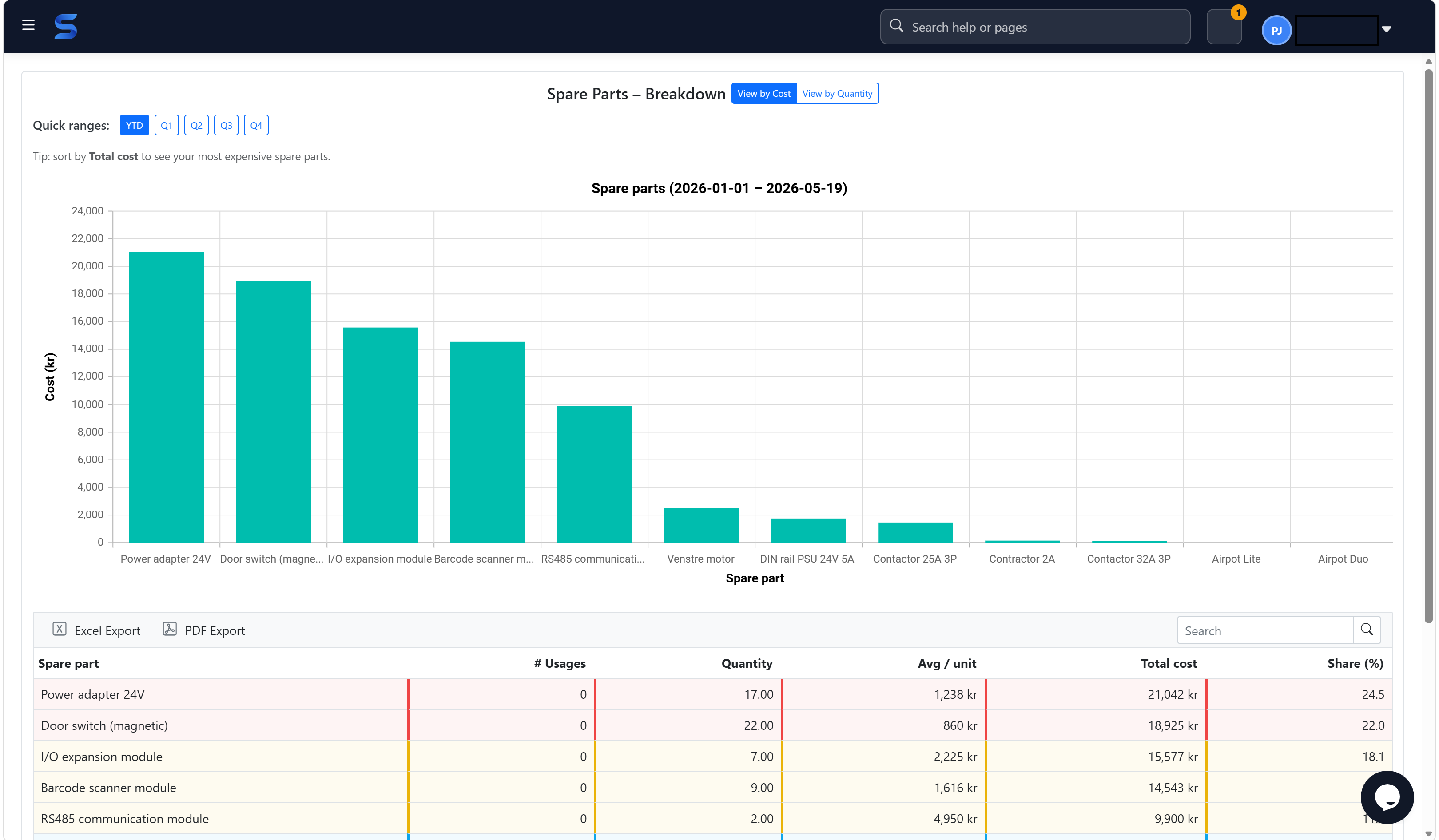
Spare part analytics
See which spare parts drive usage, cost and replacement patterns.
Platform
One operational service model for assets, people, parts and profitability.
Use Sepolo as the operational layer between ERP, technicians and assets. Start with service calls and reports, then add stock, ERP integration, SLA, Impact Mapping and management insight as the business matures.
Open platform overviewService control and technician dispatch
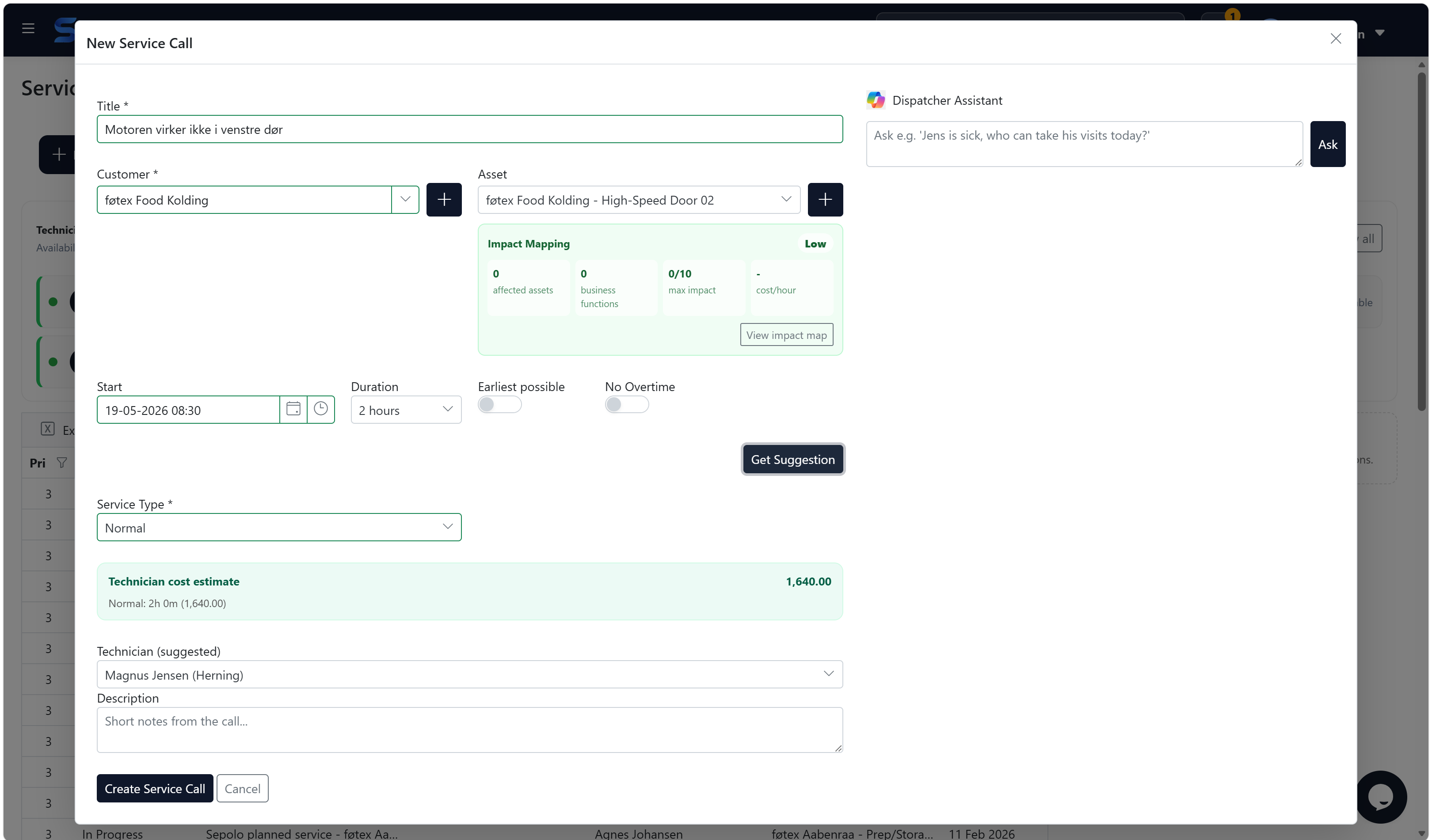
Plan service visits, assign technicians, follow status and keep customer, asset and visit context together as work changes during the day.
Configurable service reports
Define the fields and layouts each group needs, from mandatory time registration to custom operational checks.
Asset and customer insight
See service history, replaced parts, resources, revenue, cost and margin from the customer detail view.
Resources and parts
Track employee time, travel time, vendors, equipment and inventory so the invoice reflects the work actually delivered.
Next step
See the service flow in 30 minutes.
A good first meeting should answer concrete questions: how a service call starts, how technicians report, how parts and time become invoice-ready, and how ERP keeps ownership of master data.